KEY TAKEAWAYS
- Search any 6–8 digit BIN against 327,000+ public reference ranges.
- Returns brand, card type, issuing bank and country.
- Reference metadata identifies the issuer range — not account status.
- Free, no signup, and no card data is stored.
- Failed the BIN search tool checks say nothing about the card — fix the cause and retry.
- Generated test numbers are checksum-valid and never chargeable.
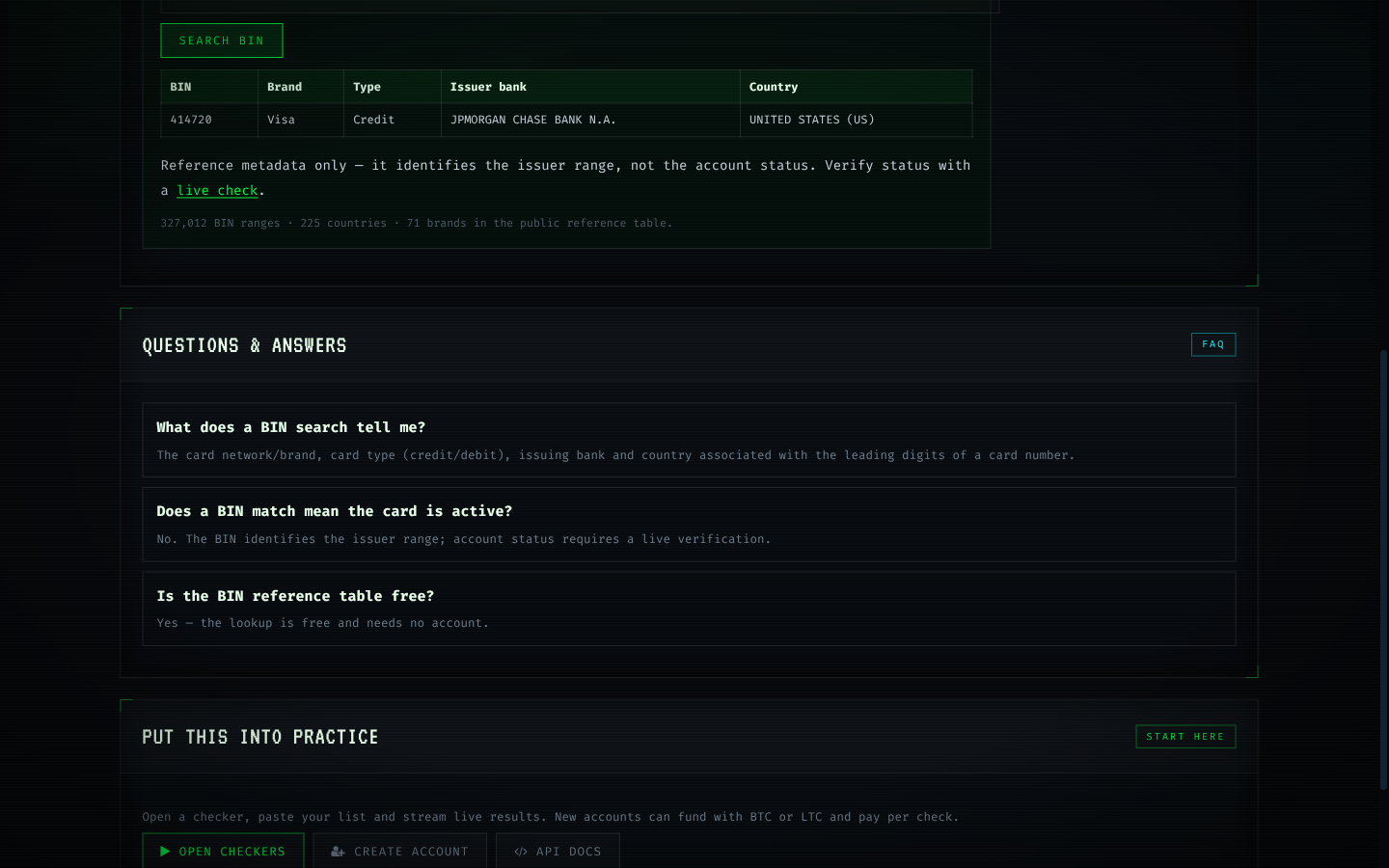
BIN search goes beyond a single prefix: search the reference table, inspect every matching issuer record, and read the metadata without leaving the page. It is the investigative companion to the lookup tool, useful when a range looks unfamiliar or when you need the full record rather than a summary.
Results are reference data: issuer identity and card characteristics. Account status stays out of scope by design.

Key points about the BIN search tool
- Search by prefix or narrow by record
- Full issuer metadata per match
- Read-only reference table
- Pairs with live checks for the status layer
Using the BIN search tool: step by step
- Enter a prefix such as 414720.
- Review the matching issuer record.
- Link the record to your data or continue to a check.
How the BIN search tool actually works
Nothing in the check moves money: the request asks a question, the issuer answers, and the platform records one of four outcomes against your account. Behind the scenes, every check follows the same chain: your input, the gateway format, the provider connection, the issuer response and the classification you see. Error means the check itself failed technically: a timeout, a provider fault or malformed input. No classification was produced, and no charge applies. Checks are routed through providers rather than card networks directly, so the same card can behave differently on different routes. It is a small rule that changes how the BIN search tool behaves at scale.
Checks are routed through providers rather than card networks directly, so the same card can behave differently on different routes. Unknown means no definitive answer was received — often an issuer challenge or soft decline — so the card remains unclassified and deserves at most one fallback pass. A check sends an authorization-shaped request through a provider to the issuer and classifies the reply into one of four states: live, dead, unknown or error. It is a small rule that changes how the BIN search tool behaves at scale.
The BIN search tool in practice: a repeatable path
Deduplicate before submitting: the same card in a list twice is billed twice if both copies classify. Validate checksums and expiry dates before any paid request; the free browser tools exist precisely so malformed rows never reach a provider. Size batches to the provider ceiling. Past that line, extra concurrency converts into timeouts rather than throughput. Keep a small balance buffer so an interrupted run never leaves a half-classified list and the temptation to re-check everything. Remember it the next time the BIN search tool produces an ambiguous answer.
Validation helpers for the BIN search tool
The test card generator produces checksum-valid numbers for development, and they are never chargeable by design. Pair the generator with the Luhn validator when building test fixtures; checksum-valid numbers exercise real validation paths. IBAN validation follows country-specific rules and verifies the checksum, covering the payout side of card operations. In the BIN search tool work, that is the difference between a signal and a guess.
What the BIN search tool cannot promise
The platform does not trade card data, and nothing in the system is designed to bypass a cardholder's consent. High-value decisions deserve fresh checks; stale results drift as accounts change. Operators remain responsible for the legal basis on which they hold and process card data. In the BIN search tool work, that is the difference between a signal and a guess.
Benchmarks and distribution for the BIN search tool
The reference BIN table covers hundreds of thousands of issuer ranges, and it is deliberately separate from account-status data: one describes issuers, the other describes cards. Latency percentiles matter more than averages: the p90 and p99 tell you what a slow run actually feels like. Aggregate numbers describe populations, not individual cards. Use them to size timeouts and retry budgets, never to judge one account. When the classified rate moves, the cause is usually a route or provider change rather than the underlying cards. That distinction is what keeps the BIN search tool decisions clean.
Scaling the BIN search tool without surprises
Document the route, the batch policy and the retry rules next to each production run; six months later that note is the diagnosis. A written triage table — one action per result class — keeps large runs mechanical and auditable. Alert on classified-rate drops, not just on errors; silent degradation is the expensive kind. Reconcile spend monthly against classified results; the difference between the two numbers is where retries hide. That single habit separates routine the BIN search tool from expensive the BIN search tool.
Pitfalls that cost money in the BIN search tool
Increasing parallelism past the provider ceiling in the BIN search tool converts capacity into timeouts. Using BIN reference data as account status in the BIN search tool confuses two different questions and produces confident, wrong decisions. Retrying a dead card during the BIN search tool spends balance for an answer that will not change within the run.
- Validating after the paid the BIN search tool request, rather than before, doubles the cost of bad input.
- Retrying a dead card during the BIN search tool spends balance for an answer that will not change within the run.
- Using BIN reference data as account status in the BIN search tool confuses two different questions and produces confident, wrong decisions.
- Ignoring the p90 latency of the BIN search tool leads to timeouts that look like provider faults.
Using the BIN search tool on the right side of the line
Results describe the account, never the person; they should inform routing and risk decisions, not identity decisions. Operators remain responsible for the legal basis on which they hold and process card data. Verification is at its best when it is boring: a routine status step inside an existing, authorised process. It is a small rule that changes how the BIN search tool behaves at scale.
Reading the BIN search tool results honestly
When a result contradicts other evidence, re-check once after a reasonable interval rather than assuming the checker is wrong. Conflating outcomes is the most expensive habit in this area — an error treated as a dead card discards real inventory, and an unknown treated as live inflates confidence. Errors are free by design: no classification means no charge, so retrying after fixing the cause costs nothing but effort. Dead results are conclusive for the moment and should never be re-checked in the same run; retries on dead cards spend balance for identical answers. It is a small rule that changes how the BIN search tool behaves at scale.
What aggregate data says about the BIN search tool
When the classified rate moves, the cause is usually a route or provider change rather than the underlying cards. The reference BIN table covers hundreds of thousands of issuer ranges, and it is deliberately separate from account-status data: one describes issuers, the other describes cards. Latency percentiles matter more than averages: the p90 and p99 tell you what a slow run actually feels like. Aggregate numbers describe populations, not individual cards. Use them to size timeouts and retry budgets, never to judge one account. Keep it in mind whenever the BIN search tool results are reviewed.